

Table of Contents
- Getting Started With Home Automation 2026: A Practical Framework
- Understanding the Smart Home Ecosystem Explained 2026
- Best Smart Home Devices 2026: Essential Starting Points
- Cost of Home Automation 2026: Budget vs. Premium Tiers
Getting Started With Home Automation 2026
Last Updated: July 27, 2026
Getting started with home automation 2026 has become significantly more accessible than it was just a few years ago. At The Daily Drop by Ed Rivera, we understand that building a smart home shouldn't require a computer science degree or an unlimited budget. The convergence of affordable hardware, standardized protocols like Matter and Thread, and user-friendly platforms has fundamentally changed what's possible for homeowners.
Understanding the Smart Home Ecosystem Explained 2026
A smart home ecosystem is a network of interconnected devices that communicate through a central hub or cloud service to automate tasks and provide remote control. Unlike isolated smart devices, a true ecosystem creates a unified experience where lights respond to motion sensors, thermostats adjust based on occupancy, and security systems trigger notifications across all your devices.
The shift in 2026 centers on interoperability, the ability of different brands' devices to work together seamlessly. Standards like Matter have created a common language that allows devices from Philips Hue, Eve, LIFX, and dozens of other manufacturers to communicate without proprietary bridges.
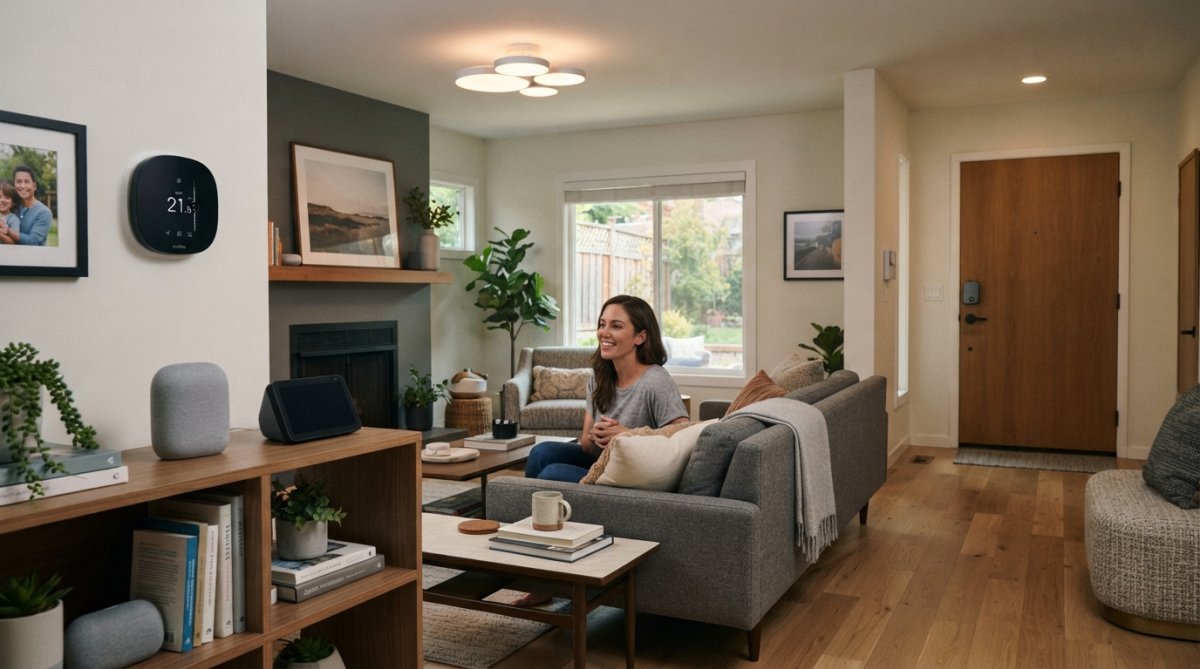
Thread, a mesh networking protocol, has emerged as the backbone for reliable local communication. Unlike Wi-Fi, which can become congested in larger homes, Thread creates a self-healing mesh network where devices relay signals through each other. This means a smart light in your basement can communicate with your hub even if it's not in direct range, it simply hops through other Thread devices to reach the destination.
Best Smart Home Devices 2026: Essential Starting Points
The foundation of any smart home starts with three categories: a control hub, smart lighting, and environmental sensors.
Start with a central hub. A hub acts as the translator between your devices and your voice commands or mobile app. Amazon Echo Hub, Apple HomePod mini, and Google Home Hub all serve this function. Choose based on which voice assistant you already use or prefer.
Smart lighting is where most people see immediate value. A single smart bulb or smart plug demonstrates automation instantly: schedule lights to turn on at sunset, dim them automatically at bedtime, or trigger them when motion is detected. Start with 2-3 smart lights in high-traffic areas: bedroom, living room, and kitchen.
Sensors, motion, temperature, humidity, door/window, are the nervous system of your home. They gather data and trigger automations. Begin with one or two sensors in areas where you'll notice the benefit immediately.
Smart thermostats learn your patterns, reduce energy waste, and integrate with other systems. Models like Nest, Ecobee, and Honeywell Home often require professional installation. Many homeowners see 10-15% reductions in heating and cooling costs within the first year.
Smart locks and security cameras are typically third-wave additions and require careful consideration around privacy and cybersecurity.
Cost of Home Automation 2026: Budget vs. Premium Tiers
A minimal, functional system starts around $150-$250: a basic hub ($100), two smart bulbs ($30-$50), and a smart plug ($15-$25).
A moderate smart home, sufficient for most households, typically requires $500-$1,200. This includes a quality hub, 8-12 smart lights, 3-5 sensors, a smart thermostat, and a smart speaker or two.
Premium setups, with whole-home audio, advanced security systems, sophisticated automations, and professional installation, run $2,000-$5,000+.
The most common mistake is buying expensive devices before understanding what automation actually solves for you. A $300 smart light bulb delivers the same basic function as a $15 one.
The Daily Drop by Ed Rivera regularly features smart home hardware at competitive prices, making it easier to build incrementally without overpaying. Check back often as inventory and deals change, building a smart home is a marathon, not a sprint.
Budget tier approach: Start with entry-level devices from established brands. Wyze, Meross, and TP-Link offer solid functionality at 40-50% lower prices than premium alternatives.
Premium tier approach: Invest in devices from HomeKit-certified manufacturers (Eve, Nanoleaf, Logitech) or premium Alexa/Google partners. You pay more upfront but gain better local control, longer device lifespans, and faster response times.
| Smart Home Category | Budget Tier | Premium Tier | Best For |
|---|---|---|---|
| Central Hub | Echo Dot ($50) | HomePod mini ($99) | Voice control + ecosystem |
| Smart Bulbs (4-pack) | Wyze ($30-40) | Nanoleaf ($60-80) | Automation + ambiance |
| Smart Plugs (2-pack) | TP-Link Kasa ($20) | Eve Energy ($35) | Device conversion + monitoring |
| Motion Sensor | Wyze ($15) | Eve Motion ($35) | Trigger-based automation |
| Smart Thermostat | Ecobee (basic) ($150) | Ecobee with Voice ($200) | Temperature + learning |
| Smart Lock | Level Lock ($200) | Aqara Smart Lock ($180) | Keyless entry + security |
Calculate the annual cost-per-device rather than just upfront price. Cheaper devices sometimes require replacement after 2-3 years, while premium devices often function reliably for 5+ years.
Network Infrastructure and Home Wi-Fi Requirements
A stable smart home requires strong network infrastructure. Most people underestimate this requirement and then blame device failures when the real culprit is network congestion or weak signal strength.
Your Wi-Fi network must handle dozens of simultaneous connections. A single router in a 3,000+ square-foot home will struggle. You need either a mesh Wi-Fi system (Eero, Netgear Orbi, UniFi) or multiple access points strategically placed.
Network latency matters more than raw speed. A smart light that takes 2-3 seconds to respond feels broken. Latency under 500 milliseconds feels instant. Thread and local control protocols help by avoiding cloud round-trips.
Consider separating your smart home devices onto a dedicated Wi-Fi network or VLAN (virtual local area network) to reduce congestion and improve security.
Smart Lighting and Automation Fundamentals
Smart lighting is where automation becomes tangible and valuable. A light that turns on automatically when you enter a dark room, dims at sunset, or activates in response to a security alert demonstrates the power of a connected home.
Smart bulbs come in three flavors: color-capable (millions of color options), color temperature-adjustable (warm to cool white), and on-off only. If uncertain, start with color temperature bulbs, they're significantly cheaper than full-color options and handle 90% of use cases.
Automation rules are the logic that makes lights smart. "If motion is detected AND it's after sunset, turn on the light to 50% brightness" is a simple automation. Plan your automations before adding devices to avoid over-complicating rules.
Scenes are pre-configured states you activate with a single command. "Movie time" might dim all lights to 5%, close smart blinds, and adjust the thermostat to 70°F.
Smart Security and Surveillance
Smart locks eliminate the need for physical keys and enable remote access. You can unlock your home for a guest, plumber, or delivery person without being present. Audit logs show who accessed the lock and when. Quality locks have mechanical fallbacks so a dead battery or network outage doesn't lock you out.
Cameras serve both security and convenience functions. A front-door camera lets you see who's at your door without opening it. Local storage keeps footage private but requires manual retrieval. Cloud storage is convenient but creates privacy concerns and requires ongoing subscriptions.
Encryption and authentication are non-negotiable. Your security system should require strong passwords, support two-factor authentication, and encrypt all communication.
Energy Management and Smart Thermostats
Smart thermostats reduce energy consumption by learning your patterns and adjusting automatically. Many homeowners see 10-15% savings on heating and cooling costs within the first year, often enough to pay for the device within 12-18 months.
A smart thermostat learns when you're home, when you sleep, and when you're away. Geofencing enables even more sophisticated automations: if everyone leaves home, the thermostat switches to energy-saving mode automatically.
Integration with other sensors amplifies savings. A motion sensor in the bedroom can trigger the thermostat to adjust temperature when you enter. Smart plugs and power monitoring devices reveal energy waste and help you make informed decisions about usage or replacement.
Cybersecurity and Privacy Best Practices
A connected home is only as secure as its weakest device. Start with strong passwords: 16+ characters, random, unique to each device or account. Password managers (Bitwarden, 1Password) make this practical.
Enable two-factor authentication (2FA) wherever available. Use authenticator apps (Authy, Microsoft Authenticator) rather than SMS-based 2FA when possible.
Keep firmware updated. Manufacturers release security patches regularly. Check your hub and devices monthly for available updates.
Use local control whenever possible. Commands processed locally don't traverse the internet and can't be intercepted by cloud infrastructure. Matter and Thread enable local control.
Disable features you don't use. If you don't need remote access to your thermostat, disable it. Separate your smart home network from your primary network using a dedicated Wi-Fi network or VLAN to isolate smart devices from computers containing sensitive data.
Building a smart home in 2026 means choosing between convenience and control, between cloud integration and local privacy, between budget options and premium reliability. The best starting point is identifying one problem you want to solve, whether that's wasted energy, security concerns, or daily inconvenience, then building incrementally around that foundation. At The Daily Drop by Ed Rivera, we help you find quality smart home hardware at prices that make sense, with new deals added regularly so you can build your ecosystem without overpaying. Check back often as inventory changes, and remember that a thoughtfully built smart home grows gradually. Start simple, add deliberately, and you'll have a system that actually solves problems rather than creating new ones.
Frequently Asked Questions
What is the best way to start home automation in 2026?
Begin with a central hub or voice assistant (Alexa, Google Home, or HomeKit), then add one or two essential devices like smart lighting or a smart plug. Choose a Matter-compatible hub for future-ready interoperability. Start small, test your network, and expand gradually. Prioritize devices that solve real problems in your home rather than buying for the sake of automation.
How does the Matter protocol affect smart home compatibility in 2026?
Matter protocol enables seamless interoperability between devices from different manufacturers, eliminating the need to choose a single ecosystem. Matter uses Thread for reliable local connectivity, reducing network latency and cloud dependency. This means you can mix Zigbee, Z-Wave, and Matter devices without compatibility headaches. New devices increasingly support Matter, making it the standard for future-ready smart homes.
What smart home devices should beginners buy first?
Start with smart lighting (bulbs or switches), smart plugs, and a smart thermostat. These provide immediate energy savings and automation benefits. Add smart locks and security cameras once you're comfortable with the basics. Prioritize devices that integrate with your chosen voice assistant and support Matter or Thread for long-term flexibility. Avoid overcomplicating your setup with too many sensors initially.
How much does it cost to set up a smart home in 2026?
Budget-tier setups start with a smart hub and a few devices, with pricing depending on quantity and delivery options, visit The Daily Drop by Ed Rivera for current deals on affordable bundles. Premium systems with enterprise-grade security, whole-home audio, and advanced automation cost significantly more. Start small and expand as needed rather than investing heavily upfront. Many quality devices are available at competitive prices if you shop strategically.
Are smart home devices safe from hackers in 2026?
Security depends on encryption, firmware updates, and local control. Use strong passwords, enable two-factor authentication, and keep firmware current. Matter protocol and local control options reduce cloud dependency, lowering hacking risk. Avoid devices with poor security track records. Privacy-first platforms like Home Assistant offer enhanced control. No system is 100% secure, but proper setup and maintenance significantly reduce vulnerabilities.
What's the difference between cloud-based and local control smart homes?
Cloud-based systems rely on internet connectivity and manufacturer servers for automation, offering remote access but risking privacy and latency issues. Local control keeps data on your home network, improving privacy and reducing network latency. Matter and Thread support local control while maintaining interoperability. For privacy-conscious users, local-first platforms like Home Assistant provide enterprise-grade control without cloud dependency.
How do I avoid getting locked into one smart home ecosystem?
Choose Matter-compatible devices and hubs to ensure future flexibility. Avoid proprietary systems that only work with one brand. Use a central platform like Home Assistant that supports multiple protocols (Zigbee, Z-Wave, Matter). Start with popular brands that have broad ecosystem support. Don't over-invest in a single manufacturer's ecosystem early on; prioritize interoperability and future-ready devices.
This article was written using GrandRanker