

Table of Contents
- Discount Electronics for Home Office: What You Actually Need
- Best Budget Home Office Monitor Options
- Affordable Webcams and Audio Equipment
- Budget-Friendly Keyboards, Mice, and Peripherals
- How to Set Up a Home Office on a Budget
- Refurbished Home Office Electronics: Smart Savings Strategy
- Essential Accessories and Cable Management Under $50
- Conclusion
Last Updated: August 9, 2026
Discount Electronics for Home Office: What You Actually Need
Building a productive home office doesn't require spending thousands on premium equipment. Most remote workers overspend on peripherals that don't meaningfully improve output. A $200 monitor delivers 90% of what a $500 monitor does for typical office tasks. A $40 webcam handles video calls as well as a $150 alternative. Real productivity gains come from choosing the right combination of affordable tools rather than chasing premium brands.
This guide focuses on building a functional workspace for under $500 total, covering monitors, cameras, keyboards, mice, storage, and accessories that matter. We'll show you where to save aggressively and where modest spending pays dividends, plus strategies for finding refurbished electronics that cut costs without sacrificing reliability.
U.S. Bureau of Labor Statistics remote work data shows that home office setups have become permanent for millions of workers. Getting the fundamentals right affordably means more budget for tools that genuinely move the needle.
Best Budget Home Office Monitor Options
The monitor is your window into work. A 24-inch Full HD display at 1080p resolution handles spreadsheets, email, and video calls without strain, and you can find solid options well under $200.
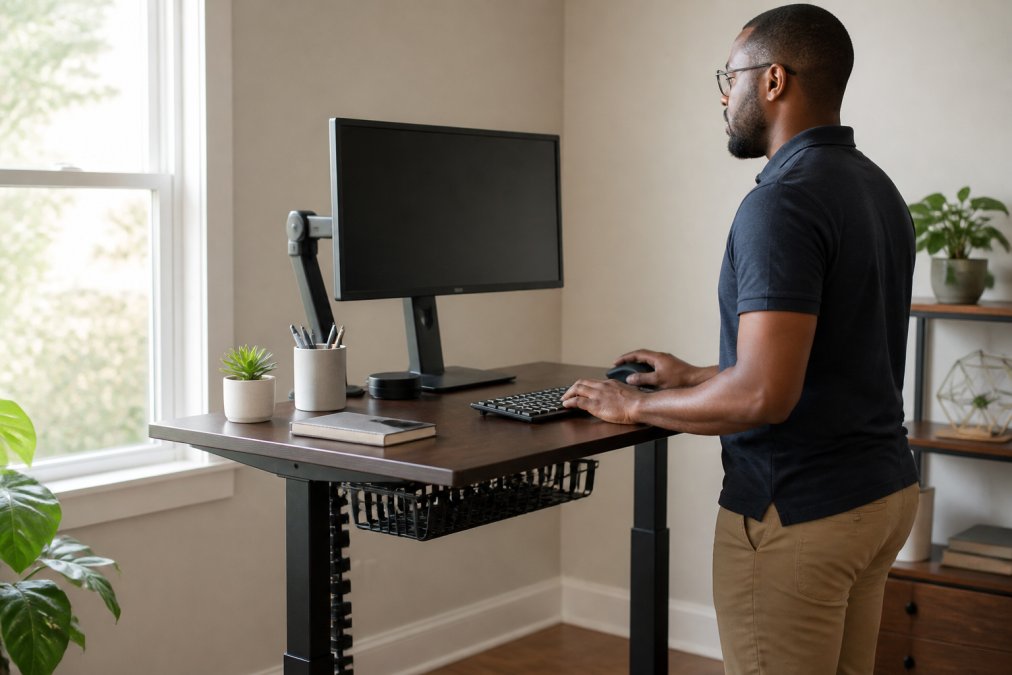
The Acer Vero B247Y G is the strongest value in this category. Its 24-inch IPS panel delivers accurate colors and wide viewing angles, the stand adjusts for height, tilt, swivel, and pivot (critical for posture), and it includes eye-care features like BlueLightShield that reduce strain during extended sessions. Multiple connectivity options (HDMI, DisplayPort, VGA) ensure compatibility with almost any setup. At this price point, the ergonomic stand alone justifies the purchase; most budget monitors ship with fixed stands that force poor posture.
What to prioritize when choosing a budget monitor:
- IPS panel over TN: Colors stay accurate at angles. TN panels look washed out unless you're directly centered.
- Adjustable stand: Non-negotiable. Height, tilt, and swivel adjustments transform ergonomics.
- Multiple inputs: HDMI and DisplayPort give flexibility if you switch devices later.
Avoid ultra-cheap monitors under $100. The jump from $80 to $150 yields real improvements in stand quality and panel consistency.
Affordable Webcams and Audio Equipment
Video call quality depends more on lighting and positioning than on the camera itself. A $60 webcam with good audio beats a $150 camera with mediocre microphones.
The Anker PowerConf C200 delivers excellent value. Its 2K resolution at 1440p is noticeably sharper than standard 1080p webcams, the adjustable field of view (65, 78, or 95 degrees) lets you frame yourself properly, and AI noise-canceling microphones cut background noise without making you sound robotic. Setup is plug-and-play, no drivers required.
The Logitech C920s is the alternative if you want proven reliability. Its 1080p video is solid, audio quality is genuinely good, and the physical privacy shutter gives peace of mind.
Audio matters more than video. Colleagues forgive grainy video but hate echo and background noise. If your webcam's microphone is weak, add a dedicated USB microphone ($30) instead of struggling with built-in audio. Position your webcam at eye level and ensure your face gets direct light from in front, not from behind.
Budget-Friendly Keyboards, Mice, and Peripherals
Your keyboard and mouse are the tools you touch most. Cheap ones cause fatigue and mistakes; mid-range options ($20-$60) hit the sweet spot between cost and comfort.
Mice: Where to spend and where to save
The Logitech M510 Wireless Mouse ($25-$35) is genuinely reliable for office work. Its contoured shape supports your hand for extended use, the 2.4GHz wireless connection is rock-solid, and the battery lasts up to two years. That longevity saves money; cheaper mice need new batteries every few months. The Unifying receiver lets you connect multiple Logitech devices to a single USB port, reducing clutter.
For users who prefer wired mice, the AmazonBasics 3-Button USB Mouse ($10-$15) handles office tasks without fuss. The trade-off: wired mice tether you to your desk and create cable clutter. Wireless is worth the $10-$15 premium.
Avoid ultra-cheap wireless mice under $15. They often suffer from lag, inconsistent tracking, or batteries that drain in weeks.
Keyboards: Membrane vs. mechanical on a budget
Mechanical switches feel satisfying and last longer, but they're unnecessary for office work. Membrane keyboards are fine if they're responsive and quiet.
The Logitech Wave Keys ($40-$55) brings ergonomic design to the budget category. Its wave shape encourages natural hand position, the integrated palm rest reduces wrist strain, and it connects via Bluetooth or USB receiver. Battery life reaches 24 months on two AA batteries.
For users who want mechanical switches without premium pricing, the Redragon K552 Kumara ($35-$50) offers mechanical switches in a compact 60% layout. The trade-off: mechanical keyboards are louder, which matters on video calls. If you work solo, the tactile feedback justifies the cost.
The Microsoft Sculpt Ergonomic Keyboard ($50-$65) is a middle ground: membrane switches with a split, curved design that reduces wrist strain for users who type 6+ hours daily.
Where not to compromise: Wireless connectivity. Cheap wired keyboards feel tethered. Spend the extra $10-$15 for wireless reliability. Avoid keyboards with "gaming" branding unless you actually game; gaming keyboards cost 30-50% more for features you won't use.
Keyboard and mouse bundles: False economy
Many retailers sell bundles for $30-$50, marketed as savings. Bundled mice are often poor quality to hit a price point. Buy keyboard and mouse separately so you can optimize each independently. A $40 keyboard paired with a $25 mouse beats a $50 bundle with a $15 mouse.
Refurbished input devices: Safe and deep discounts
Keyboards and mice are among the safest refurbished categories. Mechanical switches either function or they don't. A refurbished Logitech Wave Keys costs $25-$35 versus $40-$55 new. Manufacturer refurbished units carry the same warranty as new units. Avoid third-party marketplace refurbished unless you can verify testing documentation.
How to Set Up a Home Office on a Budget
Creating a functional workspace requires strategy, not spending. Start with essentials, then add accessories as budget allows.
Phase 1: Foundation ($300-400)
- Monitor: $150-200 (Acer Vero B247Y G or similar)
- Keyboard: $40-60 (Logitech Wave Keys)
- Mouse: $20-30 (Logitech M510)
- Desk lamp: $30-40 (Honeywell Sunturalux or similar)
- Surge protector: $15-20 (Tripp Lite 6-outlet)
Phase 2: Optimization ($100-150)
- Webcam: $50-70 (Anker PowerConf C200 or Logitech C920s)
- External storage: $60-100 (WD My Passport 1TB for backups)
- Monitor arm or stand: $30-50
Phase 3: Comfort ($50-100)
- Additional desk lamp for task lighting
- Monitor riser for better height positioning
- Keyboard wrist rest
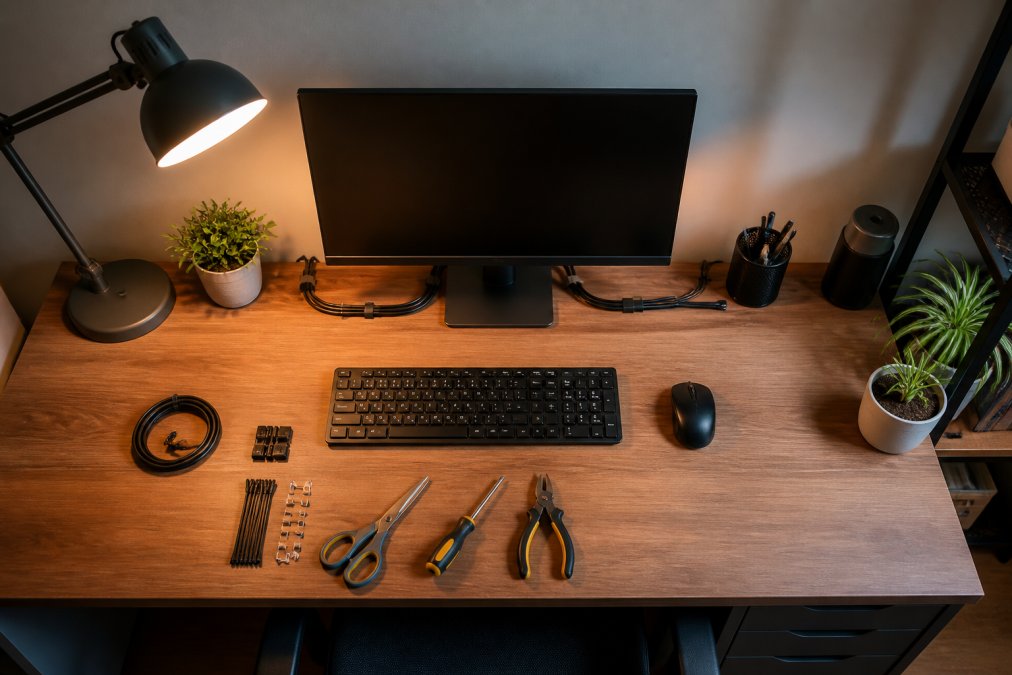
- Cable management clips and organizers
Start with Phase 1, work for two weeks, then identify what's causing discomfort or inefficiency. That feedback guides Phase 2 purchases.
Cable management under $50 saves frustration:
- Velcro cable ties: $8-12
- Cable clips and sleeves: $10-15
- Power strip with individual switches: $15-25
- Desk cable tray: $20-30
Organized cables make it easier to reconfigure your setup, troubleshoot connections, and keep your workspace clean.
Refurbished Home Office Electronics: Smart Savings Strategy
Refurbished electronics offer 30-50% savings versus new units while carrying real warranties. You need to know which refurbished markets are trustworthy and which categories offer the best value-to-risk ratio.
Understanding refurbished tiers and where to buy them
Manufacturer refurbished is safest. When Acer or Logitech refurbishes a monitor or keyboard, they replace worn components, test thoroughly, and back it with their standard warranty (typically 1 year). A manufacturer refurbished Acer monitor costs $80-$100 versus $150-$180 new. Most manufacturers operate official refurbished stores on their websites or through Amazon Renewed (when marked "Certified Refurbished by [Manufacturer]").
Retailer refurbished (Amazon Renewed, Best Buy Refurbished, Newegg Refurbished) is second-tier. These units are tested and guaranteed, but the refurbishment process is less rigorous than manufacturer programs. Amazon Renewed items carry a 90-day to 1-year return window; Best Buy Refurbished items include a 15-month warranty on most electronics.
Avoid marketplace refurbished (eBay, third-party sellers, Facebook Marketplace) unless you see extensive documentation of testing, warranty terms, and seller ratings above 98%.
Best refurbished categories for home office (ranked by safety and savings)
Tier 1: Monitors (highest confidence, deepest discounts) Refurbished units are indistinguishable from new. Panels either work or they don't; there's no degradation period. A manufacturer refurbished 24-inch IPS monitor typically costs $70-$110 versus $150-$180 new, a 40-50% savings with zero functional risk. The stand and cables are replaced during refurbishment. Look for manufacturer refurbished options from Acer, Dell, LG, and ASUS directly or through Amazon Renewed with manufacturer certification.
Tier 2: Keyboards and mice (low risk, solid savings) Mechanical and membrane switches either function or they don't. A refurbished Logitech Wave Keys costs $25-$35 versus $40-$55 new. Manufacturer refurbished carries full warranty; retailer refurbished typically includes 90-day coverage. Savings: 30-40%.
Tier 3: Webcams (moderate risk, worthwhile savings) Image sensors either work or fail immediately. A refurbished Logitech C920s costs $40-$55 versus $60-$80 new. Manufacturer refurbished from Logitech directly is safest. Savings: 25-35%.
Tier 4: External storage (higher risk, conditional savings) Hard drives can fail unexpectedly. Prioritize manufacturer refurbished with extended warranties (3-year coverage if available). A refurbished WD My Passport 1TB costs $40-$60 versus $70-$90 new, but only if it carries a 2+ year warranty. If warranty is under 1 year, the savings don't justify the risk. Savings: 30-40%, conditional on warranty length.
Tier 5: Desk lamps and surge protectors (lowest priority for refurbished) These items are so inexpensive new ($15-$40) that refurbished pricing rarely justifies the hassle. Buy new in this category unless you find a 50%+ discount from a manufacturer refurbished source.
Calculating true savings: The warranty factor
Refurbished pricing looks attractive until you factor in warranty differences. A refurbished monitor at $100 with a 90-day warranty is riskier than a new monitor at $150 with a 3-year warranty. If the refurbished unit fails after 4 months, you've lost $100 and still need a replacement.
Use this framework:
- Manufacturer refurbished with 1-year warranty: Safe choice. Savings of 30-40% are genuine.
- Retailer refurbished with 90-day warranty: Acceptable for low-cost items (mice, keyboards under $50). For monitors or storage, push for 1-year coverage.
- Refurbished with "as-is" or no warranty: Only if the discount is 50%+ and you can afford to lose the money if it fails.
Red flags to avoid
- No warranty listed or "sold as-is" without testing documentation
- Seller with fewer than 95% positive ratings
- No return policy or restocking fees over 15%
- Missing original packaging or accessories
- Vague descriptions like "fully functional" without specific testing details
Where to buy certified refurbished electronics
- Manufacturer direct: Acer Refurbished Store, Logitech Refurbished, Dell Refurbished, LG Refurbished (typically 1-year warranty, deepest discounts)
- Amazon Renewed: Filter by "Certified Refurbished by [Manufacturer]" for highest confidence
- Best Buy Refurbished: 15-month warranty on most items
- Newegg Refurbished: 30-day return window, good for monitors and storage
- B&H Photo Video Refurbished: Reputable for cameras and audio gear
Timing refurbished purchases for maximum savings
Refurbished inventory increases after major sales (Black Friday, Cyber Monday, back-to-school season) and new product launches. Checking back 2-3 weeks after a major product announcement often yields deeper discounts on recent refurbished units before inventory sells through.
Essential Accessories and Cable Management Under $50
The difference between a chaotic desk and an organized workspace often costs less than lunch.
The Honeywell Sunturalux Foldable Modern Desk Lamp ($36) solves inadequate lighting. Most home offices rely on overhead lights or natural light, which creates shadows and eye strain. A dedicated desk lamp with adjustable brightness and color temperature costs almost nothing but meaningfully improves comfort.
The Tripp Lite 6-Outlet Surge Protector ($17) is insurance against power surges that destroy electronics. A single lightning strike or power grid fluctuation can fry a monitor or external drive. The 790 joules of protection and automatic shutoff when the protector expires make this a no-brainer.
Cable management essentials ($20-30):
- Velcro cable ties: $8-12 (reusable, unlike zip ties)
- Adhesive cable clips: $10-15 (mount under desk to route cables neatly)
- Cable sleeve or spiral wrap: $5-10 (bundles multiple cables into one organized line)
Storage and backup ($60-100): The WD My Passport Portable External Hard Drive is the most practical backup solution. Available in 1TB, 2TB, 4TB, and 5TB capacities, it offers automatic backup software and password protection with hardware encryption. USB 3.0 connectivity means reasonable transfer speeds. Backup is non-negotiable for remote workers; a drive failure that costs you days of work negates any savings from cheap electronics.
Building a functional home office on a budget requires prioritizing tools that directly impact productivity and comfort: monitor, keyboard, mouse, lighting, and backup storage, while avoiding premium pricing for commoditized features. Start with Phase 1 essentials, test your setup for two weeks, then add optimization and comfort upgrades based on real feedback rather than guessing.
Frequently Asked Questions
What are the essential electronics for a home office setup?
A functional home office needs a monitor, keyboard, mouse, webcam, and reliable internet connectivity. Add a desk lamp for proper lighting, surge protection for your electronics, and external storage for backups. The Acer Vero B247Y G monitor, Logitech Wave Keys keyboard, and Anker PowerConf C200 webcam deliver solid performance at affordable prices. Prioritize items that directly impact productivity and comfort, ergonomic peripherals and a quality monitor reduce fatigue during long work sessions.
Are refurbished home office electronics good for a home office?
Refurbished electronics offer excellent value for home office setups when purchased from reputable sellers. These devices have been tested, repaired if needed, and restored to working condition, often with warranties. Refurbished monitors, keyboards, and external hard drives typically perform identically to new units at 20-40% lower costs. Check return policies and warranty coverage before buying. Refurbished options work particularly well for budget-conscious setups where you need reliable functionality without paying full retail prices.
How can I save money on discount electronics for my home office?
Buy strategically by prioritizing ergonomic essentials (monitor, keyboard, mouse) over premium features you won't use. Consider refurbished or open-box items from trusted retailers. Start with one quality monitor rather than dual displays. Use surge protectors to extend equipment lifespan and avoid costly replacements. Check The Daily Drop regularly for rotating deals on home office electronics, inventory changes frequently, so consistent checking reveals better discounts. Bulk purchasing options also reduce per-unit costs if you're setting up multiple workspaces.
What is the best budget-friendly monitor for working from home?
The Acer Vero B247Y G delivers excellent value at around $150-200. Its 24-inch Full HD IPS display provides sharp text clarity for documents and spreadsheets, while the highly adjustable stand reduces neck and back strain during long work sessions. Multiple connectivity options (HDMI, DisplayPort, VGA) ensure compatibility with most laptops and desktops. Eye-care technologies like BlueLightShield reduce fatigue. For budget home office setups, this monitor balances affordability, ergonomics, and image quality better than cheaper alternatives.
Where can I find reliable discount electronics for my desk setup?
The Daily Drop by Ed Rivera specializes in curated daily deals across electronics, home goods, and accessories with competitive pricing. Their inventory rotates frequently, so checking back regularly reveals new discounts on monitors, keyboards, webcams, and peripherals. They offer bulk pricing for larger quantities, making them ideal for multiple workspace setups. Compare specific products against other retailers, but The Daily Drop's focus on real savings and variety makes it a practical starting point for budget-conscious home office shoppers.
This article was written using GrandRanker